Cable Management Boxes vs Cable Clips: Which Is Better for Office Organization? | 2026 Guide
Is your desk buried under a tangle of power strips, chargers and cords? A clean workspace is more than just a matter of looks, it keeps you focused and prevents accidents. Two popular tools promise to tame the mess: roomy cable management boxes and small cable clips. They both solve clutter, but in very different ways.
Joshua Leist at Clever Home Finds
4/19/20267 min read
This article contains links that may earn me a commission if you make a purchase. As an Amazon Associate I earn from qualifying purchases.


Messy cables make your home office feel chaotic and can even create tripping or fire hazards. Many people try quick fixes like taping cords under the desk, but those solutions rarely last. Cable management boxes and cable clips approach the problem from opposite angles: one hides devices inside a box while the other routes cords neatly along a surface. Choosing the right tool affects how much space you reclaim, how safe your equipment is and how easily you can move cables when your setup changes. If you already know what you need, check out some fantastic options in our review of The 7 Best Office Cable Organizers. However, if you're still deciding, then this article will help you decide which option best suits a home office.


Quick Answers Guide
Best for Space‑Saving: Cable Clips
Clips take up almost no room and mount directly to surfaces, so they keep cords out of the way without adding bulk.
Best for Ease of Use: Cable Clips
Installing a clip is as simple as peeling the backing and pressing it onto a surface; releasing a cord requires only a finger press.Best for Durability: Cable Management Box
A well‑made wooden box resists scratches and wear better than plastic solutions and protects cables from pets and accidents.Best Overall for Most Homes: Cable Management Box
It hides power strips, reduces dust and protects children and pets, making it the more comprehensive solution for a dedicated home office.
For most people, a cable management box will offer the best balance of safety, aesthetics and long‑term value. Clips excel as secondary helpers but cannot replace a box when you have multiple devices and power adapters.
What Is a Cable Management Box?
A cable management box is an enclosed container designed to hide power strips, adapters and excess cord length in one place. Typically made from wood or plastic, it features slots on the sides to route cables and a lid to conceal everything while still allowing airflow. Placing the box under a desk, beside a TV unit or next to a bedside table keeps cables out of sight and reduces dust build‑up. Wooden versions double as décor; they blend with furniture and age better than plastic boxes. Because a cable management box can accommodate a power strip and multiple chargers, it’s ideal for permanent setups where safety and appearance matter. Sometimes cable boxes are built into full-sized workspace organizers, which can be a seamless way to upgrade your entire setup. If you think that would be a good direction for your home office, go check our review of The 7 Best Office Workspace Organizers for a great lineup of options.
What Is a Cable Clip?
A cable clip is a small device that holds one or two cables in place. Adhesive clips stick to desks, walls or monitor arms and keep individual cords from slipping behind the desk or tangling. Dual‑spring or clasp‑lock designs secure cables while allowing quick one‑handed release. Clips are compact (often less than an inch wide), making them perfect for nightstands, car dashboards or areas where space is tight. They don’t hide power strips or bulky adapters; instead they route cords neatly along edges. Because adhesive clips can be repositioned or replaced easily, they suit renters or anyone who frequently reconfigures their workspace.


Key Differences That Matter
Space Efficiency
A cable management box takes up a bit of floor or desk space but pulls all of your cords and a surge protector into one tidy container, reducing visual clutter and freeing up usable surface areas. This makes it especially effective in setups with multiple devices where loose cables would otherwise spread across the desk or floor. Cable clips, by contrast, mount directly to surfaces and use almost no extra space, though each clip holds only one or two cables and does not reduce overall cable volume.
Ease of Use
Clips are extremely simple to install. Just clean the surface, peel the adhesive and press the clip down, and you can insert or remove a cable with one hand. This makes them ideal for chargers and accessories you unplug daily without interrupting your workflow. Boxes take a little more effort to set up because you must place the power strip inside and route cords through slots, but once assembled they keep everything contained so you spend less time managing tangled cables.
Installation & Setup
Clips use adhesive pads that bond best to smooth surfaces like wood, glass or metal and are renter-friendly and easy to reposition if your setup changes. They require minimal planning, but placement matters since poor positioning can still leave cables looking messy. Cable boxes arrive assembled with vents and rubber feet; you simply need to find a stable spot and route the cords through the slots for a clean, centralized setup.
Durability
Wooden cable management boxes resist warping and scratches and protect cords from dust, foot traffic and curious pets, which helps extend the life of your cables. Their enclosed design also reduces wear caused by constant movement or accidental pulling. Clips can lose their adhesive over time, but a quality spring-lock mechanism will last if handled gently, so for long-term installations a box offers greater durability.
Price & Value
Clips are inexpensive multi-packs that work well for managing a few cables in multiple locations without a large upfront cost. They provide quick wins but may need replacing over time as adhesives wear out. Boxes cost more up front but combine safety, cable protection and a cleaner appearance, making them the better long-term investment for a dedicated home office setup.


General Pros & Cons
Cable Management Box
Pros:
Hides power strips and adapters, creating a calmer and more professional workspace.
Encloses cables to reduce dust, prevent tripping and protect children and pets.
Wooden models blend with furniture and last longer than plastic boxes.
Cons:
Takes up floor or desk space, which may not suit very small rooms.
Requires opening the lid to add or remove cords, so it’s less convenient for devices you frequently swap.
Desktop Organizer with Drawers
Pros:
Small footprint and easy installation make them perfect for narrow desks and renters.
Keep individual cables from slipping behind the desk and allow one‑handed release for quick changes.
Affordable and sold in packs, so you can place them wherever cords need guiding.
Cons:
Only hold one or two cables; you need several clips to manage multiple devices.
Adhesive pads can lose grip over time, especially on textured or dusty surfaces, requiring periodic replacement.
Top Rated Desk Drawer Organizer Set
Homebliss Wire Management Box
Credit: Amazon
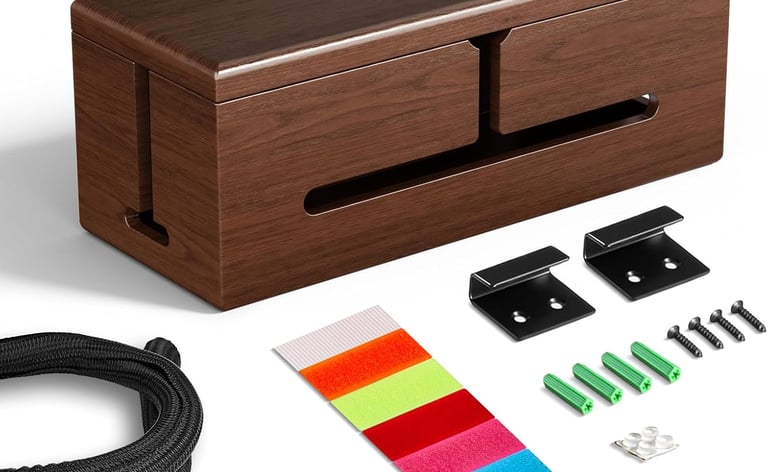
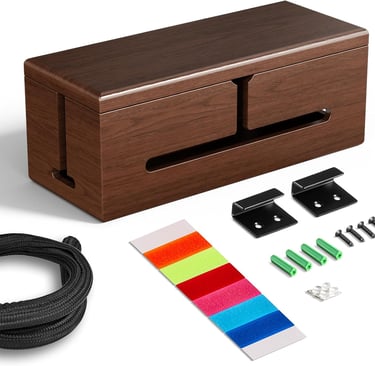
With its 15.9‑inch length, the Homebliss box holds a full‑size surge protector and several adapters, and the sturdy wooden lid keeps curious hands and paws away from electrical connections. The brown walnut finish provides durability and decorative appeal, blending with modern or rustic furniture.
Capacity: Fits a full‑size surge protector and several adapters | Material: Wood | Dimensions: 15.9" L × 6.5" W | Special Features: Discreet cable slots, protective sleeve, non‑slip feet.
Top Rated Desktop Organizer with Drawers
Chfeila 6-Pack Clasp Lock Cable Managers
Credit: Amazon
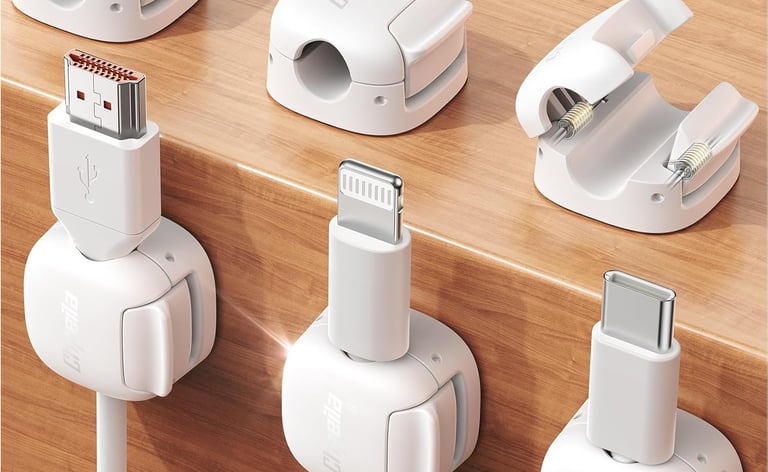
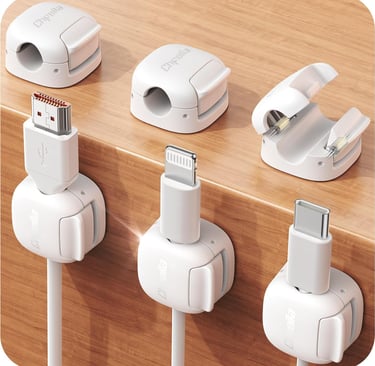
Chfeila’s 6‑pack of compact clips uses a dual‑spring and clasp‑lock mechanism to keep cords locked until you press the release, making them ideal for households with children or pets. The 0.3‑inch slot fits most cables, and the ABS‑PC material and replaceable adhesive pads increase durability.
Capacity: Holds one or two cables | Material: ABS‑PC | Dimensions: 0.83" L × 0.83" W | Special Features: Dual‑spring clasp lock, replaceable adhesive pads, universal compatibility.
When You Should Choose a Cable Management Box
Choose a cable management box for a dedicated home office or entertainment center where multiple devices plug into a surge protector; the box hides bulky adapters, reduces dust and blends with décor. It’s also the safer choice for households with children or pets because the lid keeps cords out of reach.
When You Should Choose Cable Clips
Choose cable clips if you often unplug devices or have a small space; adhesive clips along the desk edge keep chargers and USB‑C cables from falling. They’re ideal for nightstands or temporary rooms like dorms or rentals because they peel off cleanly when you move.
Final Thoughts
Both cable management boxes and cable clips address cable clutter, but they serve different purposes. Boxes hide surge protectors, protect children and pets, reduce dust and contribute to a calm aesthetic, while clips are inexpensive helpers that keep individual cords accessible. Choose a quality wooden box for permanent setups and clips for small or flexible spaces. Often the best approach is to use both: a box to tame the power strip and clips to route remaining cords neatly.
Shop Recommended Home Office Organizers
If you're ready to put these ideas into action, the right tools can make a big difference. A few well-chosen organizers can help maximize space and keep everything in its place long-term. Take a look at some of our favorite choices from Amazon’s top options.
Expertise
Joshua Leist writes about home organization with a practical, research-driven focus on solutions that improve how everyday spaces function. His perspective is shaped by firsthand exposure to well-designed homes, where thoughtful storage and layout choices make a measurable difference in daily living.
Alongside this, his past experience living in dorms and shared housing built a strong understanding of small-space challenges, where efficient organization is essential. With a background as a writing advisor, Joshua emphasizes clear structure, evidence-based comparisons, and transparent pros and cons. All recommendations are selected independently to help readers make confident, practical decisions for their homes.
Contact
© 2026. All rights reserved Clever Home Finds.
Weekly Home Finds
Clever Home Finds participates in the Amazon Services LCC Associates program.