Paper Filing Methods vs Digital Filing Methods: Which Is Better for Filing? | 2026 Guide
A cluttered home office with piles of paper or messy folders is distracting and wastes time, but the right filing method can transform how you work. Choosing between traditional paper filing and a digital filing system affects everything from desk space to how quickly you can find a document.
Joshua Leist at Clever Home Finds
7/9/20267 min read
This article contains links that may earn me a commission if you make a purchase. As an Amazon Associate I earn from qualifying purchases.


Managing paperwork at home can feel overwhelming when receipts, bills and project notes stack up on your desk. Paper filing methods use trays, binders and folders to corral those items, while digital filing relies on scanners, hard drives and cloud storage to organize them electronically. Both systems aim to improve efficiency in a home office, yet they solve the problem in very different ways that impact space, ease of use and long‑term accessibility. This article outlines the real‑world benefits and drawbacks of paper versus digital filing so you can choose confidently. If you'd like more information on transitioning to digital filing, we recommend starting with our guide on 10 Ways to Create a Digital Filing System in Your Home Office.


Quick Answers Guide
Best for Space‑Saving: Digital Filing
Digital systems store documents electronically, freeing up desks and shelves that would otherwise be filled with binders and boxes.
Best for Ease of Use: Digital Filing
Searching and retrieving a file by typing a keyword or filter is faster than flipping through physical folders, making digital filing more user‑friendly for daily tasks.Best for Durability: Digital Filing
Digital files can be backed up to multiple locations, protecting them from physical damage and ensuring long‑term preservation.Best Overall for Most Homes: Digital Filing
When balancing space, convenience and longevity, digital filing offers the most efficient home‑office solution because it reduces clutter and speeds up information retrieval.
For most people, digital filing is going to offer the best balance of usability, efficiency and long‑term value.
What Is Paper Filing?
Paper filing refers to organizing documents in physical form using folders, binders or desktop trays. In a home office this might include printed invoices, tax documents, manuals or school records sorted into categories and stored in drawers or boxes. It thrives in situations where you need tangible copies with wet signatures for legal records, or where computer access is limited. Paper files can be read anywhere without a device and provide a sense of familiarity that many people still trust.
What Is Digital Filing?
Digital filing uses scanners, computers and cloud services to convert and store paperwork electronically. Documents are scanned or saved directly from email, named consistently and stored on hard drives or in cloud folders so you can search and retrieve them quickly. This method excels in modern home offices where space is limited and remote access is important because it allows you to find information with a keyword rather than rifling through stacks of paper. Digital filing also enables instant sharing and collaboration with family members or colleagues, although it requires basic tech skills and reliable devices.


Key Differences That Matter
Space Efficiency
Paper files demand drawers and cabinets, consuming valuable workspace and adding visual clutter; an average physical archive can take up significant floor space. Digital files live on a hard drive or cloud service, so no shelving is needed and you can store years of records on a portable device. In small home offices, the absence of bulky cabinets makes digital filing far more space‑efficient.
Ease of Use
Paper filing is intuitive because you simply grab a folder, but finding a specific document can be slow and requires good labeling. Digital filing allows you to search by keywords and filter results, retrieving a specific invoice or receipt in seconds. The trade‑off is that digital systems require devices and may have a learning curve, whereas paper is accessible without electricity or software.
Installation & Setup
Setting up a paper filing system involves buying folders, labels and a desk organizer and then sorting documents manually. It is inexpensive upfront but labour‑intensive to maintain because every new document needs to be filed correctly and misfiling can waste time. Digital filing requires scanning equipment and possibly subscription software, which adds initial cost. Once set up, however, digital files can be automatically organized and backed up, and adding new documents becomes a quick drag‑and‑drop process.
Durability
Physical paper can be torn, stained or destroyed by floods and fire; even the best filing cabinet cannot prevent deterioration over decades. Digital files don’t degrade over time and can be replicated across multiple drives or cloud services, so a single failure doesn’t erase them. On the other hand, digital records are vulnerable to cyberattacks or hardware failure, so good security and backup practices are essential.
Price & Value
Paper filing seems cheap because paper, folders and binders are inexpensive, but companies spend about three percent of their revenue on paper‑related costs and physical cabinets take up real estate that could be used more productively. Digital filing requires investing in scanners and storage devices, yet it eliminates recurring paper purchases and frees up space. Over time the value of easy retrieval, collaboration and reduced clutter makes digital filing the more economical choice.


General Pros & Cons
Paper Filing
Pros:
Paper files provide tangible records that don’t rely on power or software and can serve as physical backups for critical documents.
They are familiar to many people and offer a sense of trust and reliability, which is why paper is still used for legal and financial records.
Physical documents can contain wet signatures required for contracts and official records that some agencies still demand.
Cons:
Physical files require significant storage space and can create clutter in a home office.
Paper can be lost, damaged or destroyed by water, fire or simple misplacement, making long‑term preservation difficult.
Digital Filing
Pros:
Digital files save space and allow quick organization and retrieval through search, eliminating the need for bulky cabinets.
They enable instant sharing and real‑time collaboration, making them ideal for remote work and family document management.
Digital documents reduce environmental impact by cutting down paper use and waste.
Cons:
Digital files are susceptible to cyberattacks and require proper security measures like encryption and strong passwords.
Transitioning to a digital system involves upfront costs for hardware and training before reaping long‑term benefits.
Top Rated Desktop Filer
5-Tier Desktop File Organizer
Credit: Amazon
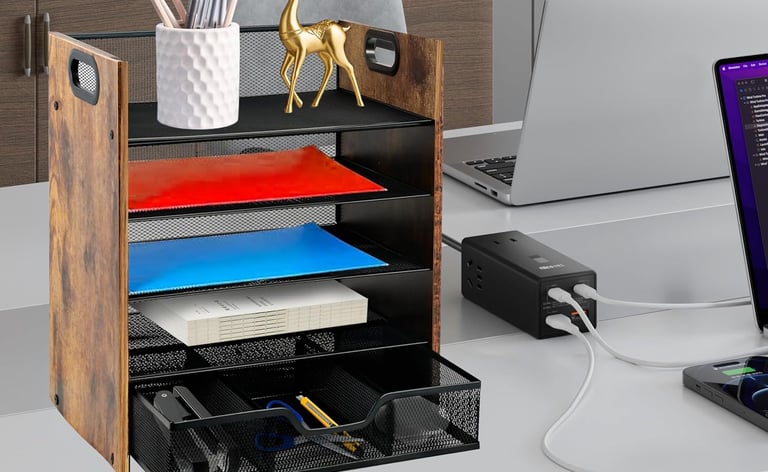
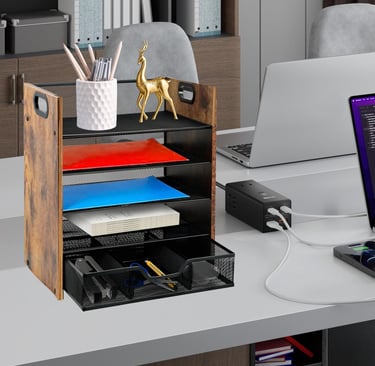
This five‑tier paper organizer from Boershun is ideal for home offices that still rely on paper files because it consolidates loose papers, mail and stationery into one compact unit. It solves the problem of desk clutter by offering four trays and a drawer, giving you separate spaces for documents, notebooks and small accessories. Its rustic‑brown wood and metal design stands out for durability and aesthetic appeal, and the lightweight engineering board makes it easy to move when reorganizing your workspace.
Capacity: 5 compartments | Material: Metal and engineered wood | Dimensions: 9.09"D x 13.62"W x 14.17"H | Special Features: Lightweight with mesh ventilation
Top Rated External SSD
Seagate Portable 2TB Hard Drive
Credit: Amazon
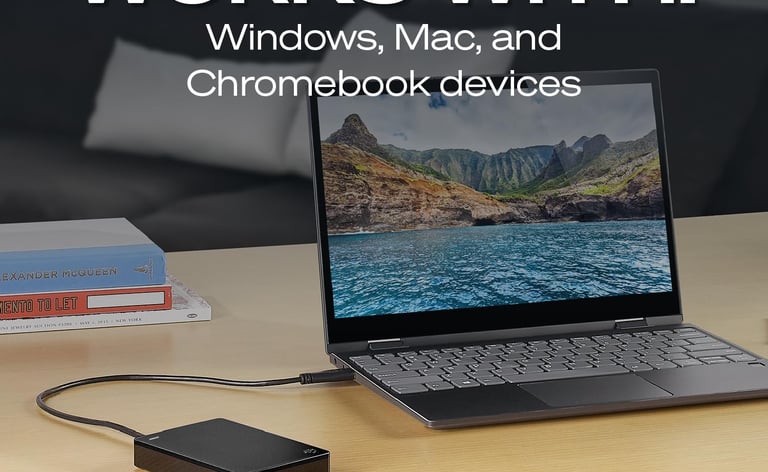
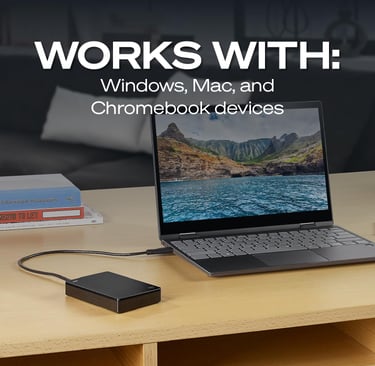
For digital filing enthusiasts, the Seagate Portable 2TB External Hard Drive offers ample storage for scanned documents, photos and backups. It is best for households that want plug‑and‑play simplicity because it works with Windows and Mac without extra software and supports drag‑and‑drop transfers. What makes it stand out is its portability: at 3.5‑inch form factor and USB 3.0 interface, you can carry your entire digital filing cabinet between rooms or take it on the road for remote work.
Capacity: 2 TB | Hard Disk Interface: USB 3.0 | Dimensions: standard 3.5‑inch portable drive | Special Features: Portable design with plug‑in setup
When You Should Choose Paper Filing
If you handle legal contracts or financial documents that require original signatures and must be preserved in their physical form, a paper filing system is the safer choice because it meets regulatory requirements. Families in areas with poor internet connectivity or frequent power outages should also stick to paper files, since access to digital storage can become unreliable during outages. A small home business with only a few important documents may find that a well‑organized binder or vertical file organizer provides immediate access without the need for technology.
When You Should Choose Digital Filing
Remote workers who collaborate with teammates across locations will benefit most from digital filing because it allows simultaneous access and editing of documents. If your home office has limited space and you don’t want filing cabinets crowding the room, digitizing your paperwork and storing it on a hard drive will free up shelves and drawers. Digital filing also makes sense for households that prioritize efficiency, since a search function can locate receipts or warranty documents in seconds, and cloud backups protect your records against physical disasters.
Final Thoughts
Paper and digital filing each offer distinct advantages, but their relevance depends on how you manage your home office. Paper filing provides tactile reassurance and supports official records, yet it consumes space and is vulnerable to damage. Digital filing unlocks superior space efficiency, quick searchability and remote collaboration, and when paired with proper security it delivers reliable longevity. For most households, adopting a digital‑first approach supported by a robust external hard drive and cloud backup will simplify organization and reduce clutter. That said, keeping a few critical paper documents in a vertical file organizer ensures you have physical copies of essential records when you need them.
Related Reading:
Transform your workspace with our guide to the desk drawer organizer set and discover how a well‑planned drawer layout streamlines daily tasks. Learn about taming cables in our post on the cable management box desk so that your digital setup stays neat. If you’re considering a different filing approach, explore our review of the vertical file organizer for another space‑saving option.
Shop Recommended Office Filing Organizers
If you're ready to put these ideas into action, the right tools can make a big difference. A few well-chosen organizers can help maximize space and keep everything in its place long-term. Take a look at some of our favorite choices from Amazon’s top options.
Expertise
Joshua Leist writes about home organization with a practical, research-driven focus on solutions that improve how everyday spaces function. His perspective is shaped by firsthand exposure to well-designed homes, where thoughtful storage and layout choices make a measurable difference in daily living.
Alongside this, his past experience living in dorms and shared housing built a strong understanding of small-space challenges, where efficient organization is essential. With a background as a writing advisor, Joshua emphasizes clear structure, evidence-based comparisons, and transparent pros and cons. All recommendations are selected independently to help readers make confident, practical decisions for their homes.
Contact
© 2026. All rights reserved Clever Home Finds.
Weekly Home Finds
Clever Home Finds participates in the Amazon Services LCC Associates program.