The 7 Best Desktop Gaming Organizers for a Versatile Home Office | 2026 Review
Gaming organizers keeps controllers, headsets, games, and smaller accessories close without letting them take over the workspace. These seven options are designed to make switching between focused work and gaming feel faster, cleaner, and less frustrating.
Joshua Leist at Clever Home Finds
7/13/20269 min read
This article contains links that may earn me a commission if you make a purchase. As an Amazon Associate I earn from qualifying purchases.


A combined work and gaming desk can become crowded when controllers, headsets, cables, cases, and console accessories compete for the same surface. The right gaming desk organizer keeps gear visible and easy to move when work takes priority. Strong options also support desk setup organization without permanent wall installation. Below are seven organizers for different collections, platforms, and desk sizes. If you are looking more for versatile supplies organization, then head to our review of The 7 Best Pegboard Organizer Systems for Home Office Storage.
At a Glance
Best Overall:
Gaming Accessory Organization Station
Jump to Review
Best Budget:
Dual Controller Holder with Headphone Stand
Jump to Review
Best for Small Spaces:
6-in-1 RGB Gaming Desk Stand
Jump to Review
Best Variety:
Small Device Stand with Drawers
Jump to Review
Best Vertical Option:
23 Game Storage Tower Rack
Jump to Review
Best Disc Rack:
Jump to Review
Best Premium:
Vertical Stand for System and Accessories
Jump to Review
Best Overall
Gaming Accessory Organization Station
Credit: Amazon
Pros:
It combines Joy-Con charging with storage for games, controllers, and a Switch dock. The concentrated layout can reduce the number of separate holders needed on a desk.
Cons:
It is designed around Switch and Switch OLED accessories rather than mixed-platform collections. The Switch dock is not included.
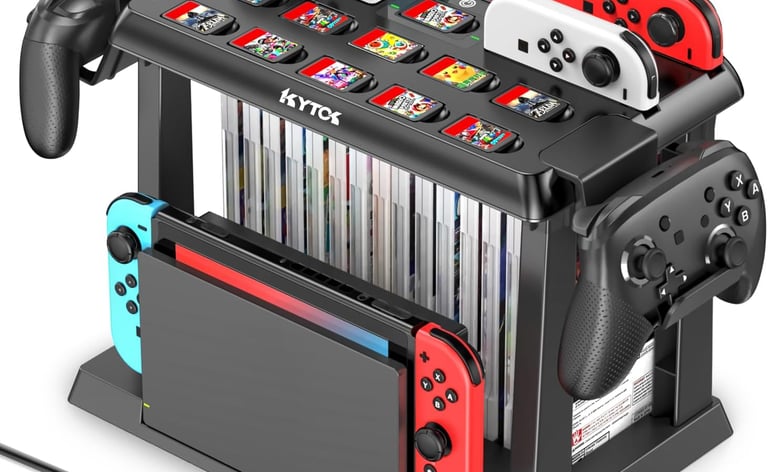
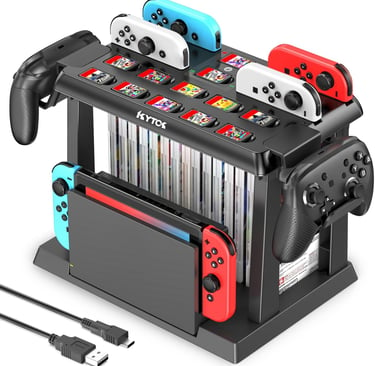
This organizer is best for Switch players who use one desktop for work, gaming, and charging. It gathers Joy-Cons, game cases, Pro controllers, and a dock into one tower instead of several holders. The charging plate supports four Joy-Cons at once, while the full station stores six Joy-Cons, 28 game cards and cases, two Pro controllers, and a Switch or Switch OLED dock. Touch controls, charging indicators, and a dock snap make it more integrated than a basic stand.
Location: Home office desktop | Capacity: 6 Joy-Cons, 28 game cards and cases, 2 Pro controllers, 1 Switch or Switch OLED dock | Material: Not provided | Dimensions: Not provided | Special Features: Four-slot Joy-Con charging plate, touch on-off control, LED charging indicators, dock snap
Best Budget
Dual Controller Holder with Headphone Stand
Credit: Amazon
Pros:
The five-in-one layout stores controllers, a headset, a phone, writing tools, and small accessories in one desktop unit. Its removable construction also makes it easier to relocate or reconfigure.
Cons:
The organizer is made from ABS plastic rather than metal. New units may have resistance at the buckle during assembly.
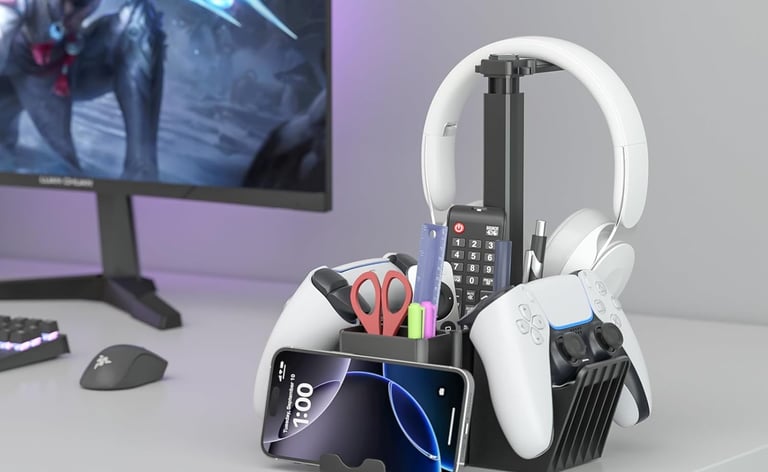
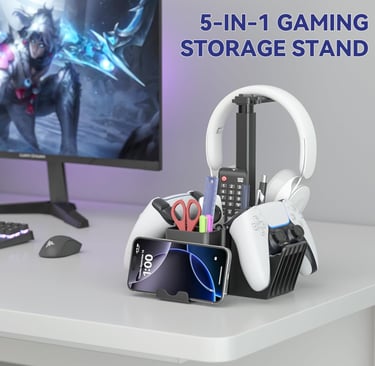
This option is best for gamers who want everyday storage without committing to one console brand. Dual controller supports, a rotating headphone hook, a phone holder, four pen holders, and two boxes collect loose items that create visual clutter. Two cable organizers keep headset cords from spreading across a productivity workspace. Its mix of gaming and office storage remains useful when the desktop shifts back to work.
Location: Home office desktop | Capacity: 2 controllers, 1 headset, 1 phone, 2 storage boxes, 4 pen holders | Material: ABS plastic, rubberized pads | Dimensions: Not provided | Special Features: 360-degree rotating headphone hook, two cable organizers, phone holder, removable assembly
Best for Small Spaces
6-in-1 RGB Gaming Desk Stand
Credit: Amazon
Pros:
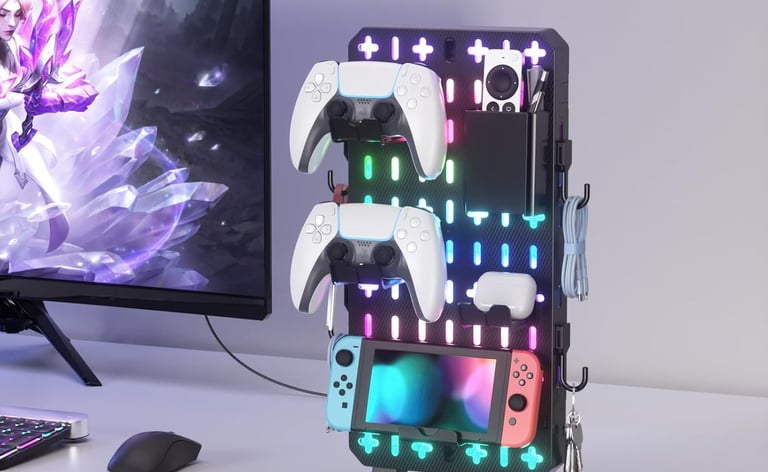
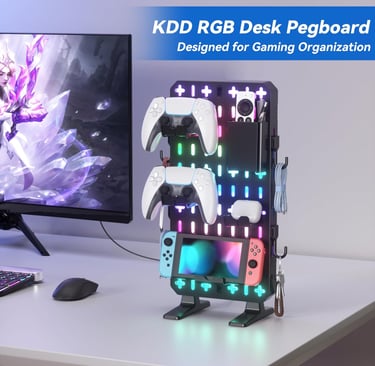
The freestanding pegboard uses vertical storage and allows its holders to be rearranged. It also requires no drilling, adhesives, clamps, or permanent mounting.
Cons:
Exact dimensions and materials are not provided in the listing. RGB lighting may be unnecessary for users who prefer a minimal desk setup.
This organizer suits compact desks, dorm rooms, and shared workstations where wall mounting is impractical. Its pegboard keeps controllers, a headset, a phone, cables, keys, and small accessories visible while using vertical space. The box, holders, hooks, and phone stand are removable, so the layout can change with the workflow. Pair it with our article on 10 Office Supply Storage Mistakes Making Your Home Office Cluttered for broader placement guidance.
Location: Home office desktop | Capacity: Controllers, headsets, cables, phones, keys, and small gaming accessories | Material: Not provided | Dimensions: Not provided | Special Features: Nine RGB lighting modes, modular pegboard accessories, freestanding no-drill base, anti-slip pads
Best Variety
Small Device Stand with Drawers
Credit: Amazon
Pros:
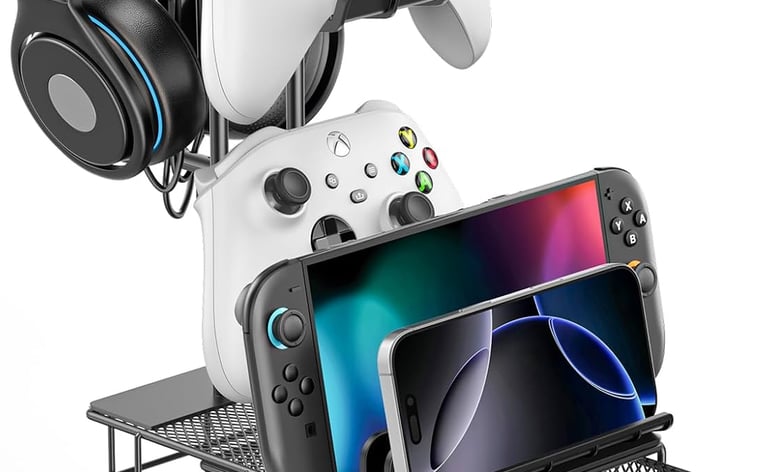
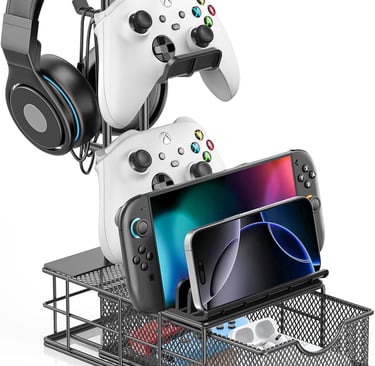
It combines dedicated supports for two controllers and one headset with a drawer and device groove. Aluminum construction and silicone contact pads add stability and surface protection.
Cons:
The tower still requires assembly before use. Dimensions are not provided, so shoppers should verify available desktop room independently.
This stand suits users who want several storage styles instead of separate trays and hooks. Two controller positions, a headset support, a drawer, a device groove, and two cable organizers combine open and concealed storage. The groove supports a smartphone, iPad, or Switch 2, while the drawer holds small accessories. Its aluminum structure distinguishes it from plastic towers and suits a desk needing gaming storage plus an office supply organizer tray.
Location: Home office desktop | Capacity: 2 controllers, 1 headset, 1 smartphone, iPad, or Switch 2, 1 drawer | Material: Aluminum alloy, silicone pads | Dimensions: Not provided | Special Features: Storage drawer, two cable organizers, device groove, five-minute assembly
Best Vertical Option
23 Game Storage Tower Rack
Credit: Amazon
Pros:
The tower stores up to 23 discs and includes two mounts for controllers or headsets. It can be positioned vertically or stacked horizontally.
Cons:
The tall 17.5-inch profile may not fit beneath low shelves or cabinets. It focuses on disc cases rather than charging or cable management.
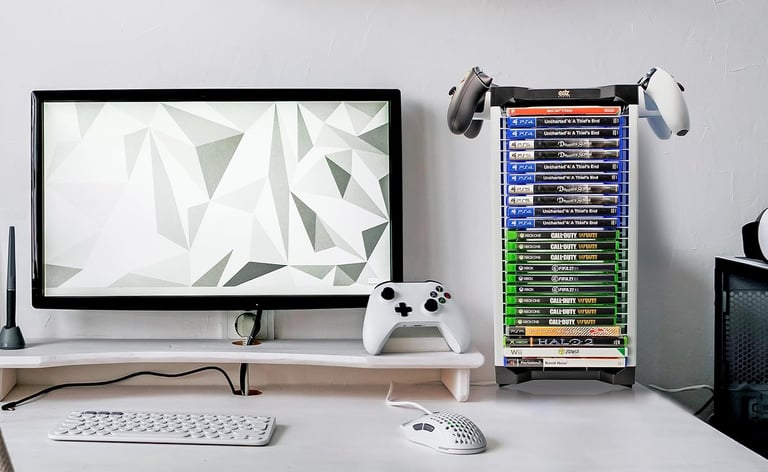
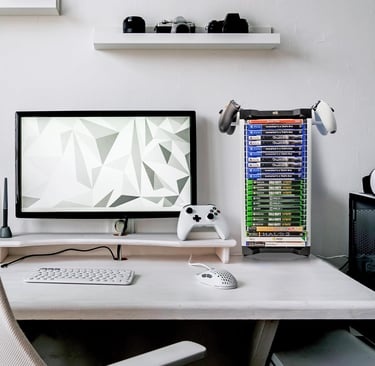
This holder suits gamers whose main clutter comes from game cases, DVDs, and Blu-ray discs. Its 23-disc capacity supports several PlayStation, Xbox, Nintendo, and media formats in one visible tower. Two mounts hold controllers or headphones without another stand. Vertical or horizontal placement adds flexibility around shelves, monitors, and wall space.
Location: Home office desktop, shelf, or media area | Capacity: 23 discs, 2 controllers or headsets | Material: ABS plastic | Dimensions: 3.2 x 6 x 17.5 inches | Special Features: Vertical or horizontal placement, tiered shelf, two controller or headset mounts
Best Disc Rack
Universal Disc Storage Rack
Credit: Amazon
Pros:
The two-tier rack holds up to 40 game discs while maintaining a narrow vertical footprint. It can also be assembled and disassembled without tools.
Cons:
It is not sized for Xbox 360 game cases or DVDs. Users must also account for its 15.75-inch height.
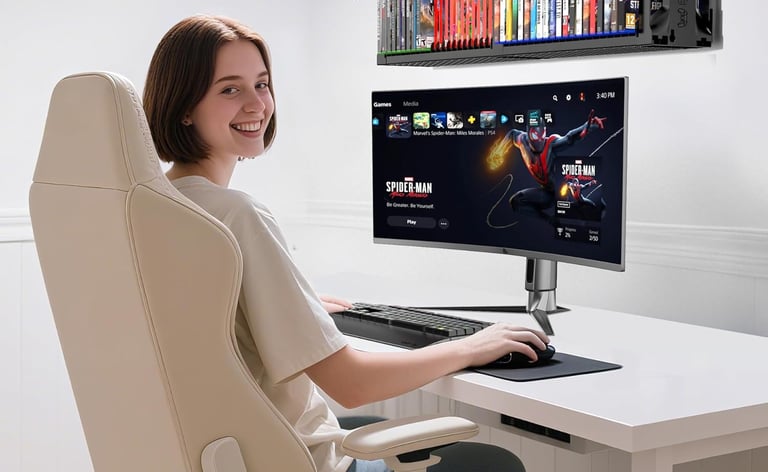
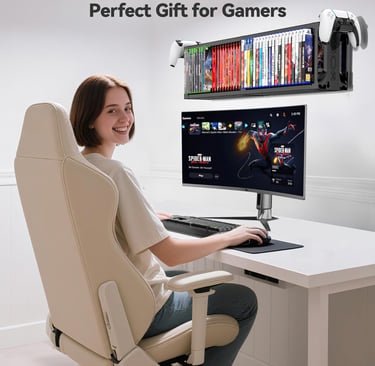
This rack suits larger physical game collections that would otherwise become rows of loose cases. Its 40-disc capacity is the highest among the dedicated disc organizers reviewed, and it can sit vertically or horizontally. ABS construction, a solid base, and tool-free assembly support regular access and easier relocation. A controller holder adds storage, but organized game-case display remains its main purpose.
Location: Home office desktop, wall, shelf, or floor | Capacity: 40 game discs | Material: ABS plastic | Dimensions: 4.72 x 7.87 x 15.75 inches | Special Features: Two-tier design, vertical or horizontal orientation, controller holder, tool-free assembly
Best Premium
Vertical Stand for System and Accessories
Credit: Amazon
Pros:
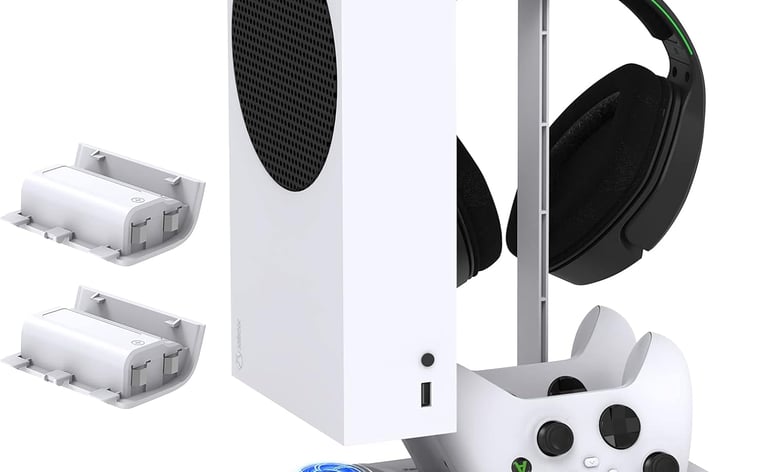
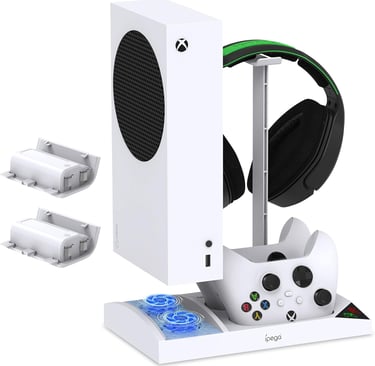
It stores an Xbox Series S, two controllers, and a headset while adding controller charging and console cooling. Two rechargeable battery packs are included.
Cons:
It is compatible only with the Xbox Series S. The platform-specific footprint offers little value to gamers who use another console.
This stand suits Xbox Series S owners who want console storage, controller charging, headset placement, and cooling in one station. Two controller docks and two 1400mAh battery packs reduce separate charging equipment, while the headset bracket stores another large accessory. Built-in cooling fans and LED indicators add functions absent from basic towers. It earns Best Premium as the most platform-integrated option, though it only benefits owners of the compatible console.
Location: Home office desktop | Capacity: 1 Xbox Series S console, 2 controllers, 1 headset | Material: Not provided | Dimensions: Not provided | Special Features: Two cooling fans, two controller charging docks, two 1400mAh rechargeable battery packs, LED charging indicators
Browse More Options on Amazon
If you didn’t find the exact solution you’re looking for above, Amazon carries hundreds of additional options in different sizes, materials, and layouts. Browsing a wider selection can help you find the perfect choice for your home, no matter the space and need!
Our Top Choice
The Gaming Accessory Organization Station is our top choice because it combines substantial storage with useful charging functions in one organized footprint. It holds six Joy-Cons, 28 game cards and cases, two Pro controllers, and a Switch or Switch OLED dock. That capacity addresses several common sources of gaming clutter without requiring separate stands for each accessory type. The four-slot charging plate, touch control, and red or green LED indicators make daily use straightforward. Its dock snap also helps secure the Switch dock while preserving quick access. We especially like that the organizer can remain useful as a controller and console holder when gaming is finished. For a Switch-centered home office, it offers the strongest balance of capacity, accessibility, and consolidated function among the seven products reviewed.
How We Chose
We evaluated each organizer using the product information supplied in the listings, with attention to storage capacity, material, dimensions, compatibility, assembly, and special functions. We also considered whether each option could support a clutter free desk while keeping frequently used gaming gear easy to reach. Broad value positioning mattered, but temporary sale pricing, discounts, and promotional offers were not used as deciding factors. Products earned distinct category labels based on their clearest practical strength, such as compact placement, disc capacity, storage variety, or platform-specific integration. We favored organizers that could serve both gaming and home office organization needs instead of creating another obstacle on the desktop. The final selections represent different collection sizes and platforms so readers can match the organizer to their actual equipment rather than choosing one universal design.
Buying Guide
Capacity
Count the items that need to stay within reach, including controllers, headsets, cases, handheld systems, chargers, and office supplies. A light setup may need two controller slots and one headset hook, while a physical collection may need a 20-disc or 40-disc tower. Extra capacity helps only when the organizer still fits and keeps items accessible. Do not buy a large rack for future expansion if it crowds current work.
Space & Placement
Desktop organizers keep gear visible, but their width and height can interfere with monitors, shelves, speakers, or lighting. Vertical towers save horizontal space, while horizontal placement may fit beneath a shelf or along the desk’s back edge. Freestanding designs relocate more easily when the office shifts from gaming to work. Use our guide on How to Conquer Desk Cable Clutter and Boost Focus to decide what stays on the surface.
Material
Plastic organizers are generally lightweight and easy to reposition, which can be useful in a flexible workspace. Aluminum structures can feel more rigid and may better support heavier accessories, while silicone or rubberized pads help protect devices and desk surfaces. The listings in this review include ABS plastic, aluminum alloy, silicone pads, and products whose material was not provided. When material details are missing, rely on the stated compatibility and storage design rather than assuming a particular level of durability.
Installation
A freestanding organizer is usually the simplest choice for a desk that changes functions throughout the day. No-drill pegboards, snap-together towers, and tool-free racks can be moved or disassembled without changing the room. Products with several brackets or charging components may require more initial setup, even when the process is described as straightforward. Before assembly, verify that every included piece matches the instructions and that charging stands have access to the required power source.
FAQs
What is the best gaming desk organizer for a small home office?
A freestanding vertical organizer is usually the most practical choice because it keeps accessories visible without using as much horizontal surface area. The KDD 6 in 1 RGB organizer is designed around vertical, modular storage and does not require drilling or clamps. For broader ways to reduce surface clutter and move items to better locations, see our guide on How to Create a More Productive Home Office (Vertical Organizers).
Should controllers and headsets stay on the desktop?
They should stay on the desktop when they are used frequently and the organizer does not interfere with work. A dedicated holder can protect their usual location, reduce searching, and make it easier to clear the central work zone. Less-used accessories can move to a drawer, shelf, or nearby storage cart.
How much game storage capacity do I need?
Match the organizer to the collection you currently use rather than every game you have ever owned. Two-controller stands suit digital libraries and lighter setups, while 23-disc and 40-disc racks make more sense for physical collections. Leave a modest amount of open capacity so new games or accessories do not immediately recreate clutter.
Can one desk work well for both gaming and productivity?
Yes, provided the desk has clear zones and accessories can move out of the main work area quickly. Freestanding towers, controller stands, drawers, and cable holders help keep the keyboard and writing surface available. Our review of The 7 Best Desktop Supplies Organizers can help readers plan the full arrangement around daily usages.
Expertise
Joshua Leist writes about home organization with a practical, research-driven focus on solutions that improve how everyday spaces function. His perspective is shaped by firsthand exposure to well-designed homes, where thoughtful storage and layout choices make a measurable difference in daily living.
Alongside this, his past experience living in dorms and shared housing built a strong understanding of small-space challenges, where efficient organization is essential. With a background as a writing advisor, Joshua emphasizes clear structure, evidence-based comparisons, and transparent pros and cons. All recommendations are selected independently to help readers make confident, practical decisions for their homes.
Contact
© 2026. All rights reserved Clever Home Finds.
Weekly Home Finds
Clever Home Finds participates in the Amazon Services LCC Associates program.